> ## Documentation Index
> Fetch the complete documentation index at: https://alexcode.ai/docs/llms.txt
> Use this file to discover all available pages before exploring further.
# Custom Prompts
> Make Alex work better for you with custom prompts
Use the two different kinds of prompts that work together to help you code:
Global prompts that apply across all projects. These define your general preferences and requirements.
Specific prompts that apply only to the current project, working in combination with system prompts.
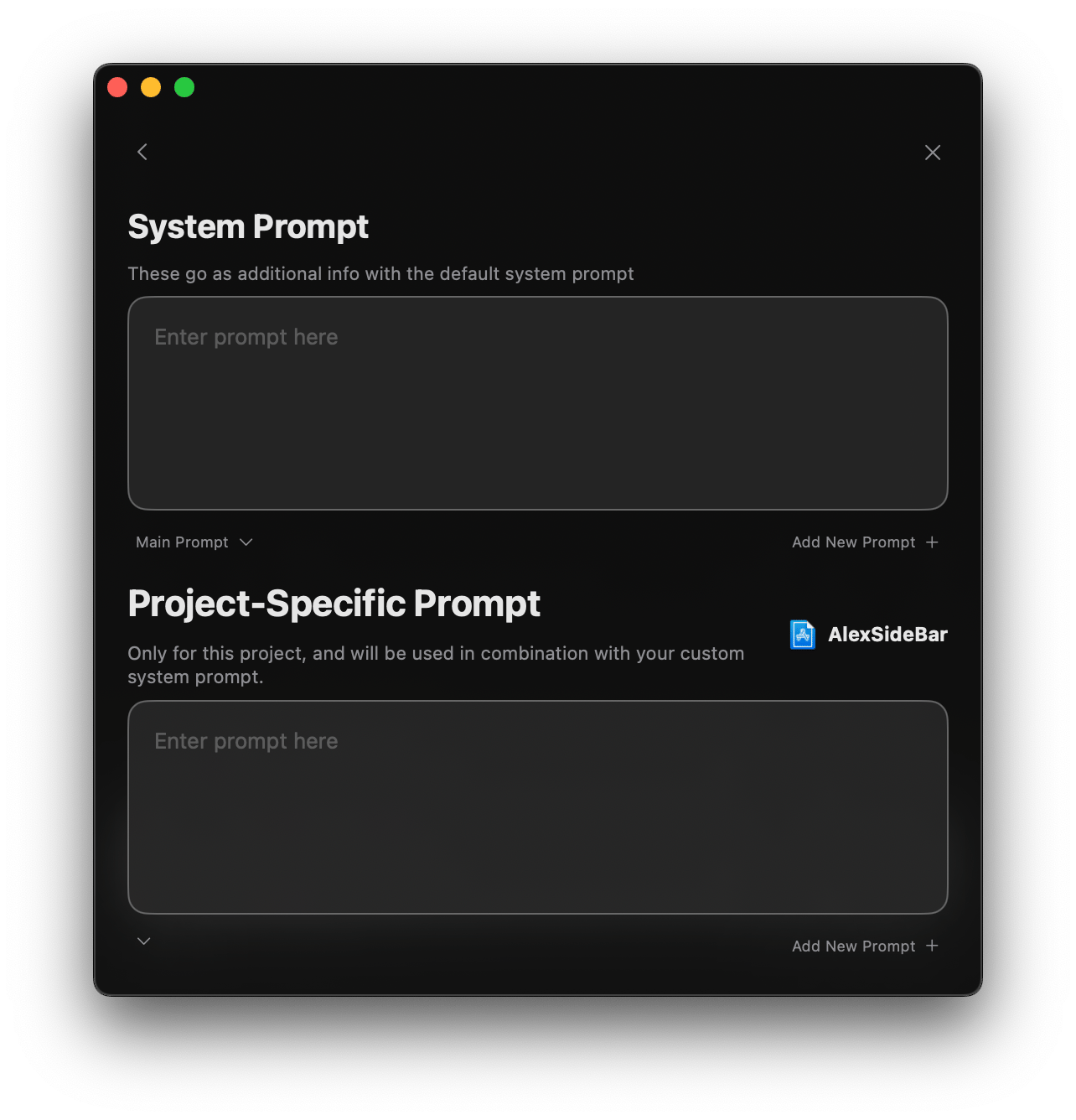
## Prompt Configuration Interface
 ### Key Components
1. **System Prompt Section**
* Text area for global prompt configuration
* Dropdown menu to select active prompt
* "Add New Prompt +" button for creating additional prompts
### Key Components
1. **System Prompt Section**
* Text area for global prompt configuration
* Dropdown menu to select active prompt
* "Add New Prompt +" button for creating additional prompts
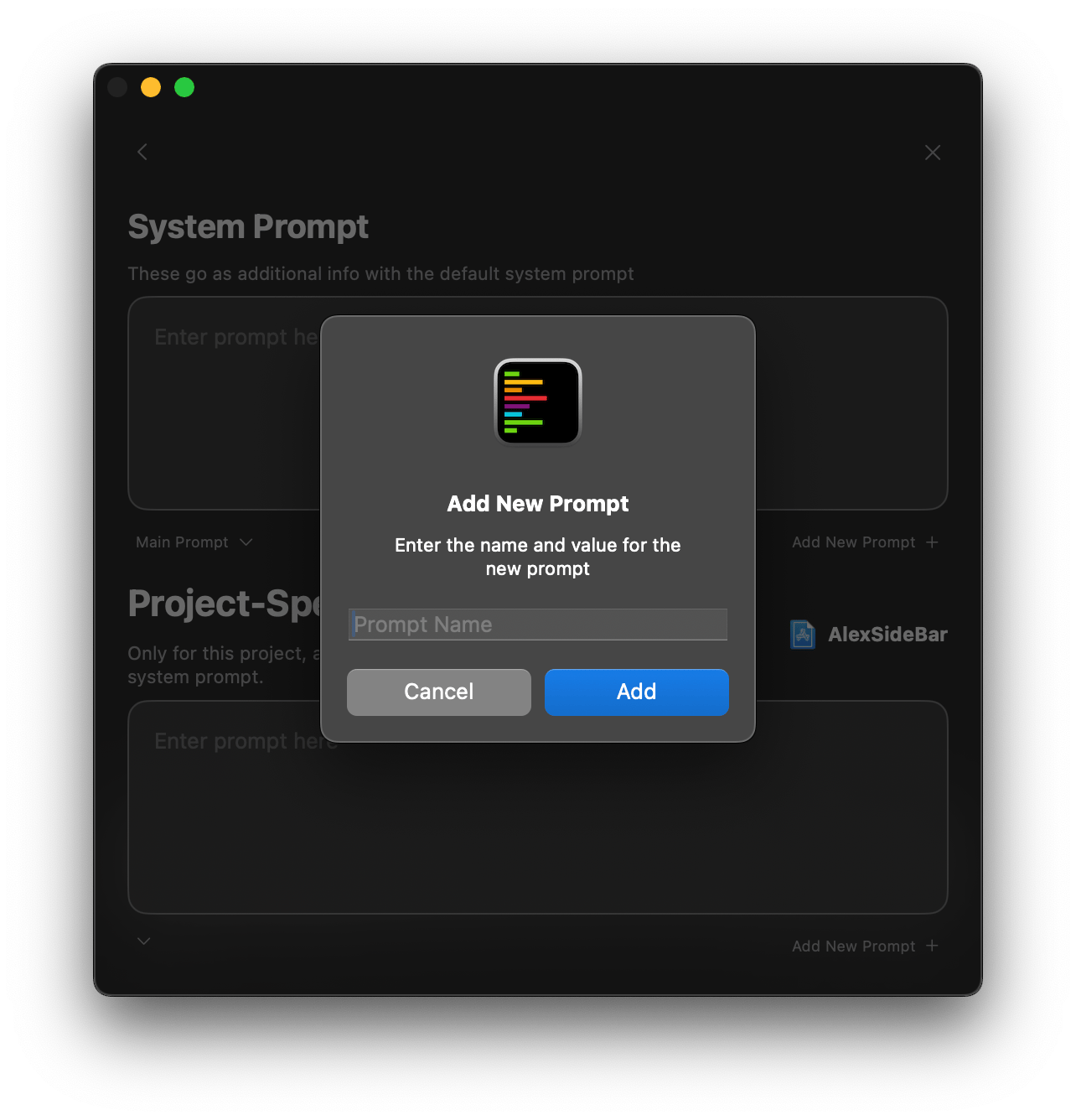 2. **Project-Specific Section**
* Dedicated prompt area for current project
* Project identifier display
* Automatic combination with system prompt
Changes to prompts take effect immediately and persist across sessions.
## SwiftUI Project Example
Here are some examples of how to configure prompts for a SwiftUI project to take inspiration from.
### System Prompt: SwiftUI Expert
```swift theme={null}
You are a SwiftUI and iOS development expert. For all interactions:
**ARCHITECTURE:**
- Recommend MVVM pattern implementation
- Ensure proper view composition
- Follow SwiftUI best practices
- Consider performance implications
**CODE STYLE:**
- Use modern Swift syntax
- Implement proper property wrappers
- Follow Swift naming conventions
- Write clear documentation comments
**REQUIREMENTS:**
- Consider accessibility
- Follow Apple HIG
- Include SwiftUI previews
- Handle error cases
```
### Project Prompt: Custom App
```swift theme={null}
Project: MLXFasting (Intermittent Fasting App)
**ARCHITECTURE:**
- Uses MVVM + Coordinator pattern
- CoreData for persistence
- Combine for data flow
- HealthKit integration
**CUSTOM COMPONENTS:**
- TimerView: Custom circular progress
- FastingCell: Reusable fasting period cell
- StatsView: Charts and statistics display
**DESIGN SYSTEM:**
- Colors defined in Theme.swift
- Typography in Typography.swift
- Custom modifiers in ViewModifiers.swift
**CODING GUIDELINES:**
- Use existing design system components
- Follow established patterns
- Consider offline-first approach
- Include HealthKit permissions
```
### API Integration
```swift theme={null}
API Guidelines:
- Use URLSession with async/await
- Implement proper error handling
- Cache responses when appropriate
- Follow RESTful conventions
- Include request timeout handling
```
### Performance Focus
```swift theme={null}
Performance Requirements:
- Implement lazy loading for lists
- Use proper image caching
- Optimize CoreData queries
- Profile memory usage
- Consider background task handling
```
## Best Practices
* One primary goal per prompt
* Clear, specific instructions
* Avoid redundant information
* Reference existing patterns
* Include architecture details
* Specify dependencies
* Update as project evolves
* Reflect new requirements
* Remove obsolete patterns
* Share effective prompts
* Standardize across team
* Document prompt purposes
Avoid including sensitive information like API keys, credentials, or internal business logic in your prompts.
2. **Project-Specific Section**
* Dedicated prompt area for current project
* Project identifier display
* Automatic combination with system prompt
Changes to prompts take effect immediately and persist across sessions.
## SwiftUI Project Example
Here are some examples of how to configure prompts for a SwiftUI project to take inspiration from.
### System Prompt: SwiftUI Expert
```swift theme={null}
You are a SwiftUI and iOS development expert. For all interactions:
**ARCHITECTURE:**
- Recommend MVVM pattern implementation
- Ensure proper view composition
- Follow SwiftUI best practices
- Consider performance implications
**CODE STYLE:**
- Use modern Swift syntax
- Implement proper property wrappers
- Follow Swift naming conventions
- Write clear documentation comments
**REQUIREMENTS:**
- Consider accessibility
- Follow Apple HIG
- Include SwiftUI previews
- Handle error cases
```
### Project Prompt: Custom App
```swift theme={null}
Project: MLXFasting (Intermittent Fasting App)
**ARCHITECTURE:**
- Uses MVVM + Coordinator pattern
- CoreData for persistence
- Combine for data flow
- HealthKit integration
**CUSTOM COMPONENTS:**
- TimerView: Custom circular progress
- FastingCell: Reusable fasting period cell
- StatsView: Charts and statistics display
**DESIGN SYSTEM:**
- Colors defined in Theme.swift
- Typography in Typography.swift
- Custom modifiers in ViewModifiers.swift
**CODING GUIDELINES:**
- Use existing design system components
- Follow established patterns
- Consider offline-first approach
- Include HealthKit permissions
```
### API Integration
```swift theme={null}
API Guidelines:
- Use URLSession with async/await
- Implement proper error handling
- Cache responses when appropriate
- Follow RESTful conventions
- Include request timeout handling
```
### Performance Focus
```swift theme={null}
Performance Requirements:
- Implement lazy loading for lists
- Use proper image caching
- Optimize CoreData queries
- Profile memory usage
- Consider background task handling
```
## Best Practices
* One primary goal per prompt
* Clear, specific instructions
* Avoid redundant information
* Reference existing patterns
* Include architecture details
* Specify dependencies
* Update as project evolves
* Reflect new requirements
* Remove obsolete patterns
* Share effective prompts
* Standardize across team
* Document prompt purposes
Avoid including sensitive information like API keys, credentials, or internal business logic in your prompts.